Beginner’s Guide to Choosing the Right Gaming Gear
Picking the right gaming gear can feel overwhelming. New players face a flood of specs, brand claims, and platform options — but choosing well doesn’t require buying the most expensive gear. It requires knowing priorities, trade-offs, and what matters for your games and setup.
This guide breaks the choices down into clear, practical steps: platform, display, core PC or console components, and mobile peripherals. Use it to build a balanced setup that improves comfort, performance, and longevity without unnecessary spending.
Know your platform and play style
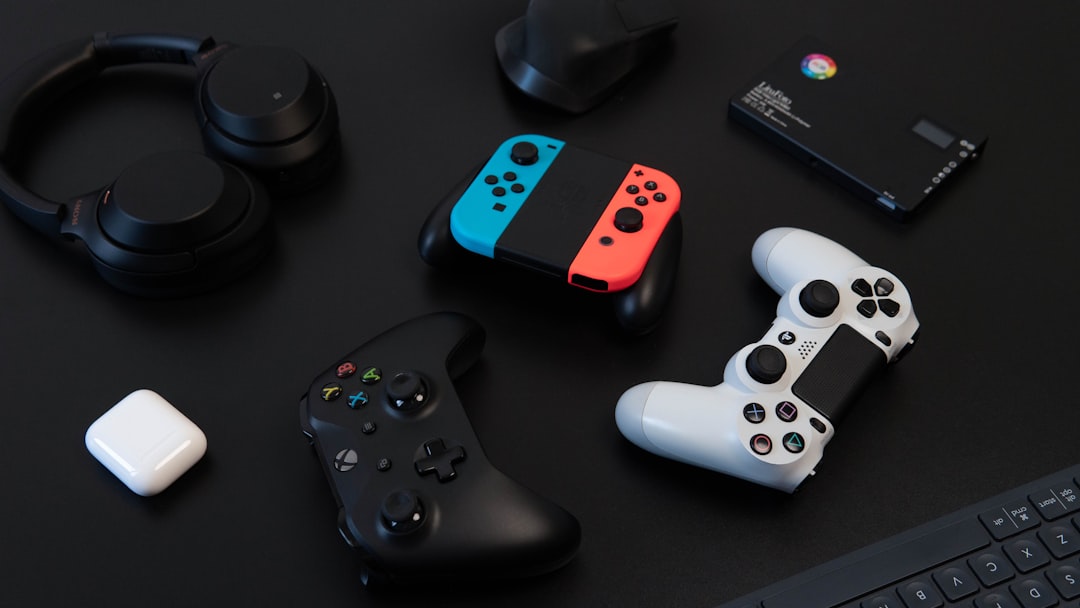
Decide whether you play primarily on PC, console, or mobile. Each platform drives different priorities: input latency and button layout for controllers, refresh rate and resolution for PC monitors, or battery and cooling for phones and tablets. If you play a lot on the go or favor touchscreen shooters and MOBAs, look into dedicated Mobile gaming controllers that clip on or connect via Bluetooth — they dramatically improve aiming and comfort over long sessions.
Refresh rate: responsiveness vs value
For competitive shooters and fast-paced multiplayer, refresh rate and low response time are top priorities. Monitors that advertise high refresh rates reduce motion blur and lower input latency. If you’re prioritizing smooth competitive play over pixel-perfect visuals, consider investing in 144Hz gaming monitors as a baseline upgrade from 60Hz — they offer a noticeable improvement while still being affordable.
When to upgrade to ultra-high refresh rates
If you play professional or tournament-level FPS or want the absolute smoothest motion, higher refresh rates can help, provided your GPU can sustain frame rates to match. High-end esports setups often use 240Hz gaming monitors. Only choose this if your hardware and competitive goals justify the extra cost; otherwise the returns diminish compared to incremental quality-of-life upgrades.
Resolution and color: when 4K makes sense
Resolution affects clarity, immersion, and the visual fidelity of single-player titles. A step up to 4K gaming monitors is compelling for open-world, RPG, and cinematic games where detail matters. Keep in mind 4K demands much more GPU power — balance resolution against frame rate goals when choosing a monitor and graphics hardware.
Ultrawide vs standard displays
Ultrawide screens expand horizontal field-of-view and are excellent for simulation, strategy, and immersive single-player experiences. They enhance situational awareness and can replace multi-monitor setups cleanly. If that wider perspective fits your games and desk space, browse Ultrawide gaming monitors for options that prioritize resolution and pixel density for widescreen formats.
Curved monitors: immersion and ergonomics
Curved panels wrap the display slightly around your field of view, improving immersion and reducing eye strain on larger monitors. They’re particularly effective on wider displays and ultrawide formats. If you want a more cinematic, enveloping experience without stretching your eyes, consider Curved gaming monitors to see how curvature and radius affect comfort for your typical seating distance.
Storage: fast drives speed up load times
Nothing kills immersion like long load times or slow texture streaming. Upgrading from a mechanical drive or a small SSD to dedicated gaming SSD storage reduces loading, decreases stutters in open-world games, and speeds installs. Prioritize NVMe drives when your budget allows; they offer the best real-world improvement for modern titles.
Memory: enough RAM for smooth multitasking
RAM affects multitasking, background apps, and performance in memory-hungry titles. For most modern games and streaming while gaming, aim for at least 16GB, and consider gaming RAM kits with good timings if you build or upgrade a PC. Faster kits and dual-channel configurations yield measurable benefits, particularly in CPU-bound scenarios.
Budgeting and compatibility tips
Balance your spend: prioritize the component that most directly affects your experience (monitor for visual clarity and responsiveness; controller or keyboard for input; SSD for load times). Check compatibility before buying: monitor ports, GPU outputs, RAM type (DDR4 vs DDR5), and power supply capacity. Upgrading one component may reveal another bottleneck that needs addressing later.
Practical checklist
- Decide platform and top two priorities (e.g., responsiveness, visuals, portability).
- For competitive play: prioritize refresh rate (144Hz+), low response time, and stable FPS.
- For immersive single-player: prioritize resolution (4K/ultrawide), color accuracy, and storage speed.
- Mobile players: add a controller and ensure cooling/power options for long sessions.
- PC builders: match RAM type and speed to motherboard/CPU; choose SSDs and adequate PSU capacity.
- Measure desk and viewing distance before buying large or curved monitors.
FAQ
- Q: Should I buy a 240Hz monitor or a 4K monitor?
A: Choose 240Hz for competitive FPS where frame rate and responsiveness matter; choose 4K for visual fidelity in single-player and cinematic games, provided your GPU can handle it. - Q: Is 16GB RAM enough?
A: Yes for most gamers in 2026; step to 32GB if you do heavy streaming, content creation, or run many memory-intensive apps while gaming. - Q: Do mobile controllers really help?
A: Yes — they improve precision and comfort on touchscreen titles and competitive mobile games, making aim and movement more consistent. - Q: Does upgrading to an SSD make a big difference?
A: Absolutely — SSDs cut load times, reduce level streaming stutters, and improve overall system responsiveness compared to HDDs. - Q: Are curved or ultrawide monitors worth it?
A: They’re worth it if you value immersion, wider fields of view, or want a single-monitor multi-tasking environment. For competitive esports, standard high-refresh monitors remain popular.
Conclusion
Start by identifying your platform and primary goals, then allocate budget where it matters most: responsiveness for competitive play, resolution and color for immersive experiences, or portability for mobile gaming. Use the checklist above to confirm compatibility and incremental upgrade paths. A balanced setup that aligns with how you play will deliver the best experience without overspending.