
Beginner’s Guide to PC Gaming: What You Need to Know
PC gaming opens a huge range of experiences: from competitive shooters at high frame rates to immersive single-player worlds with stunning visuals. For beginners, the choices can feel overwhelming, but a few principles make building or buying a capable PC straightforward and future-proof.
This guide walks you through what matters most—components, peripherals, displays, networking, and simple maintenance—so you can spend less time researching and more time playing with confidence.
Why PC Gaming? The practical advantages
PCs deliver flexible performance scaling, upgradability, and access to large game libraries and mods. A key advantage is hardware choice: you can prioritize smooth gameplay by pairing a capable GPU/CPU with higher refresh-rate displays like 144Hz gaming monitors, which make motion feel smoother and reduce input lag in competitive titles.
Set a realistic budget and priorities
Start by deciding whether you want high FPS for esports, high fidelity for immersive single-player games, or a balanced machine for both. Divide your budget roughly: 35–45% GPU, 20–25% CPU and motherboard, 10% memory and storage, and the rest for power, case, cooling, and peripherals. Don’t skimp on a reliable power unit—quality supplies protect components and ensure stability. Look into reputable gaming power supplies when finalizing your parts list.
Core components: CPU, GPU, and motherboard
The CPU and GPU determine raw performance. For beginners, pick a GPU target first based on desired resolution and frame rate, then choose a CPU that avoids bottlenecks. Your motherboard must support the CPU socket, RAM speed, and future upgrades. When comparing boards, consider VRM quality, PCIe lanes for future GPUs or SSDs, and expansion slots—browse options under gaming motherboards to understand features and price tiers.
Memory and storage: where responsiveness matters
Memory (RAM) affects multitasking and certain game load behaviors. For modern gaming, 16GB DDR4/DDR5 is the minimum; 32GB is a sensible upgrade if you stream or run many apps simultaneously. Look into reliable gaming RAM kits if you plan to overclock or need tight timings.
Storage choices affect load times and install sizes—use an SSD for your OS and frequently-played games. NVMe drives are significantly faster than SATA SSDs for load times and asset streaming. Even moderately sized NVMe SSDs improve day-to-day responsiveness.
Power, cooling, and case: stable performance and longevity
Power delivery and thermal management are often overlooked but crucial. A strong PSU with an 80 PLUS rating and adequate wattage protects components through peak loads. Cooling affects sustained performance: poorly cooled GPUs/CPUs throttle under load. Good airflow plus quality fans keeps temperatures down—consider purpose-built gaming PC cooling fans when planning your case layout.
Also choose a case with good airflow and dust filters; it’s easier to maintain and quieter during long sessions.
Peripherals and displays: pick what improves your play
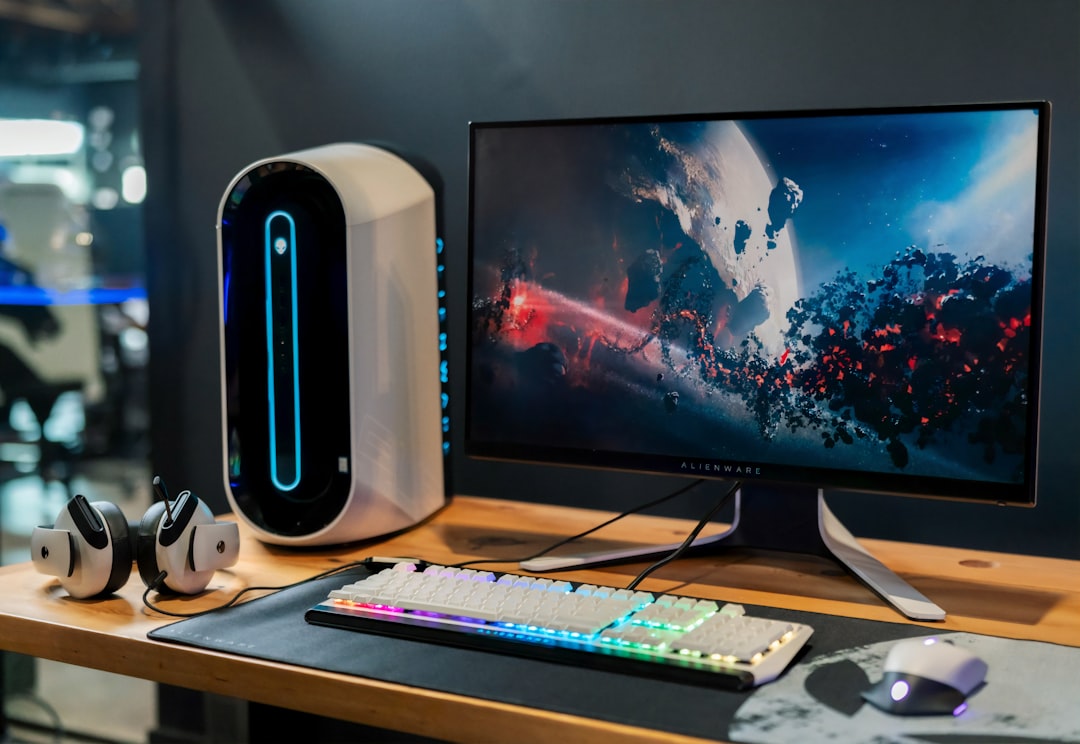
Peripherals influence comfort and performance. Mechanical keyboards and responsive mice give an edge; if you favor aesthetics and customization, RGB gaming keyboards offer durability and programmable keys useful in many genres.
Monitors should match your GPU and playstyle: prioritize resolution for visuals or refresh rate for competitive play. Also consider panel type (IPS for color, TN/IPS fast-response for low latency) and adaptive sync support to avoid tearing.
Controllers, networking, and extras
Some genres play better with controllers or specialized input devices. Wireless mice are popular for their freedom of movement—if you value cable-free setups or multi-device usage, check options in the wireless gaming mice category.
On the networking side, prefer wired Ethernet for consistent latency in competitive games. If Wi‑Fi is necessary, choose a router with low-latency gaming modes or Wi‑Fi 6 support for better reliability. Also plan for backups and peripherals like extra storage, a surge protector, and a quality headset or speakers.
Maintenance and upgrade path: keep your system healthy
Regular maintenance extends component life: dust filters cleaned monthly, thermal paste replacement every few years for heavy systems, and driver updates for GPU and motherboard firmware. Build with upgradeability in mind—leave spare M.2 slots, RAM channels, and power connectors so you can add performance without a full rebuild. When ready to upgrade storage without reinstalling everything, moving to a faster gaming SSD storage can feel like a major speed boost.
Quick setup checklist
- Decide target resolution and refresh rate (e.g., 1080p 144Hz or 1440p 60–144Hz).
- Allocate budget: GPU > CPU/motherboard > RAM/storage > PSU/cooling.
- Confirm motherboard socket and RAM compatibility.
- Choose an SSD for OS/games and a larger HDD/SSD for storage if needed.
- Pick peripherals that suit your genre and ergonomics, including a keyboard and mouse.
- Plan airflow and pick quality fans; ensure PSU has headroom for upgrades.
- Set up wired Ethernet for competitive play; update drivers and Windows/macOS.
FAQ
- Q: How much should a beginner spend?
A: A solid entry-level gaming PC can start around a modest budget, but expect to invest more for higher FPS or 1440p/4K. Use the budget split in this guide as a baseline. - Q: Is prebuilt or custom better for a beginner?
A: Prebuilts simplify setup and warranty handling; custom builds offer better value and upgradeability. Beginners often benefit from a reputable prebuilt if they’re unfamiliar with assembly. - Q: How much RAM is enough?
A: 16GB is the current sweet spot for gaming. Upgrade to 32GB if you stream, run heavy background tasks, or use memory-heavy productivity apps. - Q: Do I need an SSD?
A: Yes—an SSD for your OS and games significantly reduces boot and load times compared to an HDD. - Q: What monitor should I buy first?
A: Choose based on GPU capability and games: high refresh-rate monitors for competitive gaming, higher resolution and color accuracy for single-player/visual fidelity.
Conclusion
Start by defining what you want to play and at what quality. Invest in a capable GPU/CPU balance, reliable power and cooling, and an SSD for responsiveness. Spend a little extra on ergonomics and a display that matches your goals—these choices matter more than chasing every specification. With a measured approach, you’ll build a system that plays well today and upgrades smoothly tomorrow.