
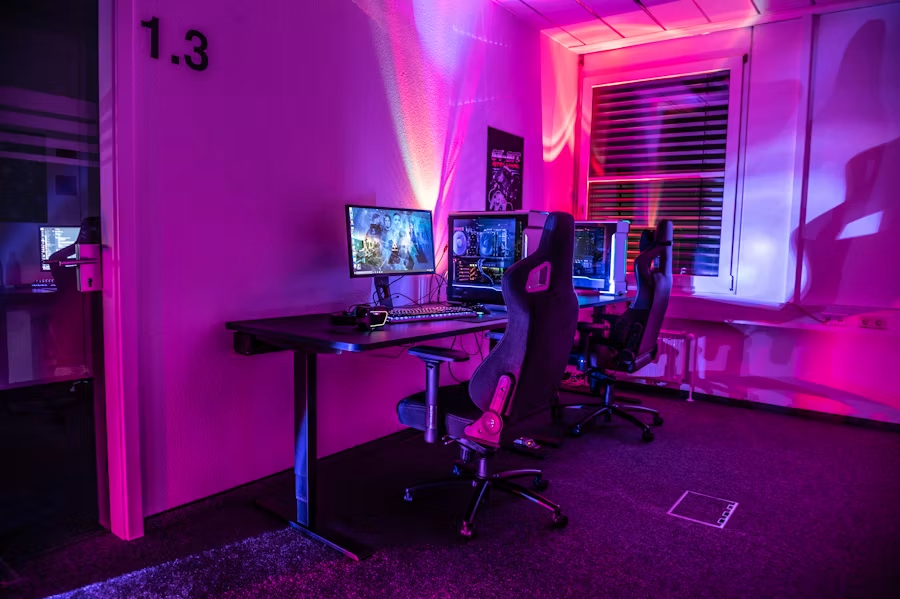
Essential Gaming Setup Tips Every New Gamer Should Know
Starting your first proper gaming setup can feel overwhelming: hardware choices, display options, ergonomics, and the small accessories that make a big difference. This guide walks new gamers through the practical decisions that improve performance, comfort, and longevity—without overspending.
Read each section, apply the checkpoints, and use the checklist to verify your setup before your next long session.
Pick the right resolution: balance clarity and performance
Resolution affects image clarity and the load on your GPU. If you want crisp visuals and can afford the GPU power, a higher resolution is worth it for immersive single-player games. For competitive play, prioritize frame rates over ultra-high detail.
Consider browsing options in the 4K Gaming Monitors category if you favor cinematic detail and have a capable GPU. If your system struggles to hit high frame rates at 4K, drop to 1440p or 1080p for a smoother experience.
Refresh rate and responsiveness: when to choose higher Hz
Refresh rate (Hz) and input lag matter most in fast-paced multiplayer games. Higher refresh rates reduce motion blur and provide a more responsive feel.
If you play competitive shooters or fast-paced esports titles, look into 240Hz Gaming Monitors or similar high-Hz displays to gain a responsiveness advantage. For casual or single-player-focused gamers, 60–144Hz is usually sufficient.
Screen shape and workspace: ultrawide vs standard
Screen shape affects immersion and desk layout. Ultrawide monitors expand horizontal field of view—great for simulators, RPGs, and productivity—but they require more desk space and can be heavier on GPU performance.
If you want a more cinematic view and a broader workspace, check options under Ultrawide Gaming Monitors. Match your desk depth and GPU capability before committing.
RAM: how much and why it matters
System memory affects multitasking and load times. For modern gaming on PC, 16GB is the practical baseline—enough for gaming plus background apps (chat, browser, streaming tools). If you stream, edit, or run virtual machines, 32GB gives breathing room.
When choosing modules, prefer a matched kit for dual- or quad-channel performance. Browse reliable kits in the Gaming RAM category and look for manufacturer specs on latency and voltage.
Storage: SSDs for load times and system responsiveness
Switching from a hard drive to an SSD is one of the most noticeable upgrades. NVMe SSDs deliver much faster game load times and OS responsiveness than SATA drives.
For a modern build, place your OS and primary games on an SSD and use secondary drives for less-played libraries or media. If you’re shopping, start with options in Gaming SSD Storage to find capacities and interfaces that match your budget.
Keep temperatures in check: cooling tips
Good cooling preserves performance and component lifespan. Monitor CPU and GPU temps during long sessions and clear dust from fans and filters regularly. Optimize airflow: intake at the front/bottom, exhaust at the rear/top.
If your case lacks airflow or you plan to overclock, consider upgrading case fans or CPU coolers. Browse suitable options like Gaming PC Cooling Fans and pick sizes compatible with your case.
Controllers and charging: organization matters
If you use controllers for console or PC play, keep them charged and stored safely. A dedicated charger reduces downtime and protects batteries from mischarging.
Controller stands or multi-chargers cut clutter and make it simple to grab a fully charged controller when a friend joins. Check practical solutions under Controller Charging Stations.
Mobile and handheld gaming: comfort and endurance
Mobile gaming benefits from simple accessories: a stable mount and cooling or power solutions extend sessions and improve aim/control. A good stand keeps the device at a comfortable viewing angle and reduces neck strain during long sessions.
Explore reliable options in the Phone Stands For Gaming category to find stands that fit your device and play style.
Ergonomics, sound and network: small choices, big impact
Ergonomics: invest in a good chair, position your monitor at eye level, and use a desk that allows your forearms to be roughly parallel to the floor. Proper posture prevents fatigue and keeps your aim steady over long sessions.
Audio: a headset with a clear mic helps team communication. If you prefer speakers, balance volume so you can hear positional cues without disturbing others.
Network: use wired Ethernet for the lowest latency. If Wi‑Fi is your only option, choose a 5GHz band and place the router close to reduce packet loss and latency spikes.
Quick setup checklist
- Monitor: resolution and refresh rate chosen to match GPU capability.
- RAM: minimum 16GB for modern gaming; matched kit for dual-channel.
- Storage: OS and active games on SSD; NVMe preferred.
- Cooling: adequate intake/exhaust flow and clean filters/fans.
- Peripherals: charged controllers and accessible mounts/stands.
- Ergonomics: screen at eye level, chair supporting lower back.
- Network: wired connection or optimized 5GHz Wi‑Fi.
- Cable management: secure cables to prevent strain and improve airflow.
FAQ
- How much should I spend on a monitor as a beginner?
Prioritize a panel with good color and at least 60Hz. If you play competitive shooters, a 144Hz or higher panel is a worthwhile mid-range investment.
- Is 16GB RAM enough?
Yes for most gamers. Upgrade to 32GB if you stream, edit, or multitask heavily while gaming.
- Do I need an NVMe SSD?
NVMe SSDs offer the fastest load times. A SATA SSD is still a major improvement over HDDs and acceptable if NVMe is out of budget.
- How often should I clean my PC fans?
Every 3–6 months depending on environment. More frequently if you have pets or heavy dust buildup.
- Is wired always better than wireless for controllers?
Wired gives stable input and charging simultaneously; wireless is fine if latency is low and batteries are maintained.
Conclusion
Start with the fundamentals: match your display and components to the type of games you play, prioritize SSD storage and adequate RAM, and keep temperatures and ergonomics under control. Small investments in cooling, good stands, and organized charging will yield a more reliable and enjoyable setup.
Takeaway: decide your priorities (competitive frame rate vs immersive visuals), then allocate budget to the components that directly support that goal—monitor, SSD, RAM, and cooling—before adding flashy extras.