
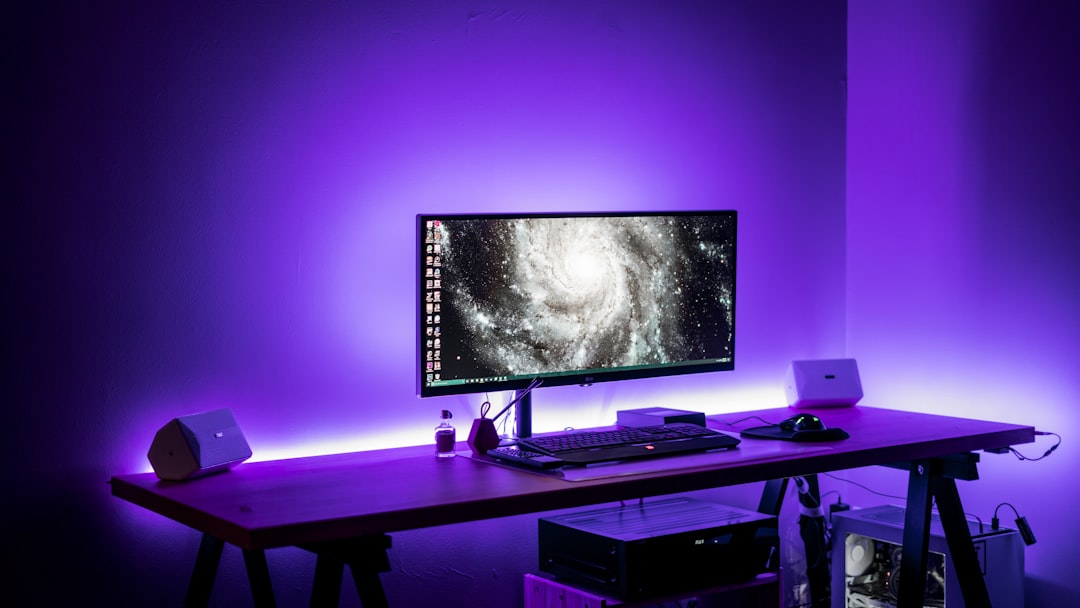
How to Create a Budget-Friendly Gaming Station at Home
Setting up a functional gaming station doesn’t require a high-end budget. With smart choices, you can build a comfortable, responsive setup that runs the games you love and grows over time.
This guide walks through practical steps—space planning, component priorities, peripherals, and maintenance—so you can game well without overspending.
1. Plan your space and set realistic goals
Start by measuring the area you’ll use and listing must-haves: desk size, seating, and whether you’ll focus on PC, console, or mobile gaming. A dedicated corner with good light and cable management goes a long way.
If refresh rate matters for competitive play, consider a cost-effective monitor option that balances price and performance. Mid-range high-refresh panels can be affordable and noticeably improve responsiveness: 144Hz gaming monitors are a smart middle ground for many budgets.
2. Prioritize components that affect performance most
When building or upgrading a PC, prioritize parts that give visible gains per dollar. Fast storage and adequate memory often provide the best user experience for everyday gaming.
Swapping a hard drive for a smaller NVMe or SATA SSD reduces load times dramatically and is relatively inexpensive compared to GPUs or CPUs: look into reliable gaming SSD storage.
Similarly, aim for at least 16GB of RAM for modern titles; if your budget allows, faster or larger modules extend the lifespan of the build: upgrading gaming RAM is a practical next step.
3. Cooling and power without overspending
Stable power and good airflow prevent throttling and extend component life. Choose a power supply with an efficiency rating and enough wattage headroom for future upgrades: affordable, quality gaming power supplies are worth the investment.
Case fans and a modest CPU cooler keep temperatures in check on budget builds. Opt for good airflow and consider adding a couple of intake/exhaust fans before overspending on exotic cooling: check out gaming PC cooling fans that balance noise and performance.
4. Choose peripherals that deliver the best value
Peripherals shape how your setup feels. A reliable keyboard and mouse with programmable options can improve comfort and gameplay without premium prices.
If you want a cost-effective, feature-rich keyboard, entry-to-mid-level mechanical or RGB options provide tactile feedback and durability: browse RGB gaming keyboards for choices that suit varied budgets.
Pair the keyboard with a versatile mouse that offers good sensor performance and ergonomics. A long-standing high-value choice is the Logitech G502 Hero, which balances accuracy, customization, and price.
5. Console, handheld and controller organization
If your gaming leans toward consoles or hybrids, invest in smart organization rather than fancy accessories. A compact charging dock or station keeps controllers ready and reduces clutter; these are inexpensive and practical: consider a controller charging stations solution for tidy storage and faster turnaround between sessions.
For Nintendo Switch owners, simple accessories like dock stands and screen protectors extend lifespan; prioritize protection and charging over decorative extras on a tight budget.
6. Desk, chair and ergonomics that don’t break the bank
A stable desk and an ergonomic chair improve comfort for long sessions. You don’t need the priciest gaming chair—look for lumbar support and adjustable height in secondhand options or budget office chairs.
Desk layout matters: monitor at eye level, keyboard and mouse close enough to keep elbows at 90 degrees, and a wrist rest for longer play. Use cable ties and simple organizers to reduce tangles and improve airflow around equipment.
7. Smart upgrades and where to save
Adopt a phased upgrade plan: start with the display and input devices, then upgrade storage and RAM, and finally tackle the GPU or CPU when needed. This spreads cost and keeps your setup usable each step.
Save by buying classic accessories that last rather than chasing the newest “gamer” branding. For example, a reliable gaming-focused keyboard and mouse combo often outperforms cheaper branded kits.
Checklist: Quick setup essentials
- Measure space and choose a desk that fits your setup.
- Select a mid-range high-refresh monitor (144Hz) for smooth gameplay.
- Install an SSD and upgrade to 16GB RAM for faster loading and multitasking.
- Choose a quality power supply with headroom for future upgrades.
- Add case fans for proper airflow and quieter operation.
- Buy a dependable keyboard and a programmable gaming mouse.
- Use a controller charging station for console setups.
- Organize cables and maintain ergonomics to prevent fatigue.
FAQ
Q: Is 16GB RAM enough for modern games?
A: Yes—16GB is sufficient for most current titles and streaming; 32GB helps with heavy multitasking or very large mods.
Q: Should I prioritize GPU or monitor first?
A: Prioritize the monitor only if you currently have a low-refresh screen. A 144Hz monitor yields visible benefits; after that, match GPU performance to the monitor’s resolution and refresh rate.
Q: How much wattage do I need for a mid-range build?
A: Most mid-range builds run well on 500–650W quality PSUs; choose one with efficiency ratings and some headroom for upgrades.
Q: Are wireless peripherals worth it on a budget?
A: Wireless can be convenient but sometimes pricier. If you want latency-sensitive performance and lower cost, wired peripherals like the Logitech G502 are great value.
Q: How often should I clean and maintain my setup?
A: Dust and cable checks every 3–6 months keep temperatures low and components lasting longer. Clean fans and filters more often in dusty environments.
Conclusion
Building a budget-friendly gaming station is about prioritizing impact: invest in a good display, fast storage, adequate RAM, reliable power and cooling, and comfortable peripherals. Plan upgrades over time and focus on organization and ergonomics to get the best experience without overspending.
Products Featured in This Article
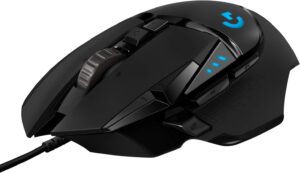
Logitech G502 Hero High Performance…
Logitech updated its iconic G502 gaming mouse to deliver even higher performance and more precise functionality…