How to Balance Gaming, School, Work, and Daily Life
Balancing gaming with school, work, and everyday responsibilities is about structure, not sacrifice. With clear routines and a few practical tools, you can enjoy gaming without letting it disrupt priorities.
Below are proven strategies to schedule play, protect focus, and make gaming fit into a busy life. These tips are grounded in time-management best practices and simple tech choices that reduce friction.
1. Time-block your week and protect focus
Start by mapping non-negotiable commitments—classes, work shifts, deadlines—and block them in your calendar. Allocate fixed blocks for focused study or work, chores, and short gaming sessions. Treat a 45–90 minute play slot like an appointment so it’s predictable and doesn’t bleed into other tasks.
When you schedule gaming, use a monitor and settings that help you get the most out of short sessions so you feel satisfied without needing “just one more match.” Consider investing in 144Hz Gaming Monitors for smoother gameplay and better responsiveness during condensed practice time.
2. Reduce friction: faster hardware, faster returns
Everything that slows you down—long load times, system updates, or lag—steals minutes that add up. Optimize your setup so play sessions start and end cleanly. A compact routine: keep your system updated, close background apps, and use quick-resume strategies for consoles and PCs.
Upgrading storage to an SSD cuts waiting time and makes breaks more effective. If you want to reclaim minutes between tasks, look into Gaming SSD Storage options that reduce boot and load times.
3. Create rituals to switch modes quickly
Transition rituals prime your brain for the next task. For example: when study time ends, do a 3-minute tidy-up, then put on headphones and launch your game. When gaming time ends, dim lights, log tasks for tomorrow, and stretch to shift back into life mode.
Small ergonomic tools make switching easier and keep mobile play healthy. A dedicated Phone Stands For Gaming lets you prop devices for brief sessions without neck strain, so you can game between obligations without discomfort.
4. Use multipurpose peripherals to save time and money
Buy gear that works for both work/study and gaming. A quality headset serves in meetings and for in-game voice chat; a mechanical keyboard or comfortable mouse benefits typing and gameplay. Centralizing gear reduces setup time and mental switching costs.
For remote work and focused calls, a reliable headset with clear mic and noise control helps you stay efficient. Consider models such as the Yealink UH48 ANC Wired USB-C/A Headset, which works well for meetings and in-game communication.
5. Make social gaming intentional
Social play can be a reward and a way to maintain friendships, but it often requires coordination. Schedule co-op nights or short weekly sessions with friends rather than ad-hoc long hangs that disrupt routines.
If you play console games with friends, having reliable controllers reduces the setup required for a quick session. Accessories like Nintendo Switch Controllers make it easy to jump into cooperative play without tech delays.
6. Optimize hardware for multitasking and longevity
Gaming and productivity often run concurrently—apps, browser tabs, and background processes eat RAM. Upgrading memory helps you switch between tasks smoothly and reduces reloads during study breaks.
For systems that handle both heavy workloads and games, consider adding Gaming RAM to improve multitasking performance and make transitions between work and play faster.
7. Manage mobile play: battery and temperature
Mobile gaming is great for short breaks, commutes, or waiting rooms—but battery drain and overheating can cut sessions short. Keep a power solution and cooling option ready so your short windows of free time are usable.
A compact portable charger is a reliable way to ensure your phone holds a useful charge for quick matches or focused study tools. A product like the INIU Portable Charger, Ultra Mini 10000mAh is practical for on-the-go power.
8. Set boundaries and communicate them
Clear boundaries keep gaming from creeping into obligations. Communicate blocks to roommates, family, or housemates—use “do not disturb” during study times and specify when you’ll be available for social or gaming time.
Use do-not-disturb settings on devices and set expectations with friends (e.g., “I can play from 8–9 pm on weekdays”). Consistent boundaries make it easier to enjoy guilt-free gaming and be reliable in school or work.
Quick checklist
- Time-block study/work and one fixed gaming slot per day.
- Limit sessions to set lengths (45–90 minutes) and use alarms.
- Reduce friction: SSDs, adequate RAM, and closed background apps.
- Use multipurpose gear (headset, comfortable keyboard/mouse).
- Prep mobile play: charger and phone stand for short sessions.
- Communicate availability and stick to boundaries.
FAQ
Q: How many hours of gaming is reasonable on school nights?
A: Prioritize sleep and study; aim for one focused session of 45–90 minutes after all tasks are complete, or use gaming as an earned reward.
Q: What if gaming helps me decompress but makes me procrastinate?
A: Use gaming as a scheduled reward. Break tasks into small, timed chunks and allow a short play session only after completing a block.
Q: How can I avoid falling into long late-night gaming sessions?
A: Set alarms, enable parental or self-imposed session limits on platforms, and stick to a wind-down ritual an hour before bed.
Q: Which upgrades give the biggest time-saving impact?
A: Faster storage (SSDs) and more RAM reduce load and switching times. They help you get into and out of sessions quickly.
Q: Can gaming help social life without harming responsibilities?
A: Yes—schedule short, regular sessions with friends and treat them like appointments to preserve both social time and responsibilities.
Conclusion
Balancing gaming with school, work, and daily life is achievable with clarity and a few practical adjustments. Time-block deliberately, reduce setup friction with targeted upgrades, and communicate boundaries. Small, consistent choices let you enjoy games while staying reliable and productive.
Products Featured in This Article
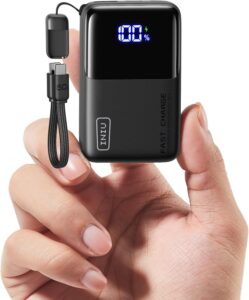
INIU Portable Charger, Ultra Mini 1…
Product description 1 Charge & Recharge 2 Durable 1 One for All 2 What You Get…
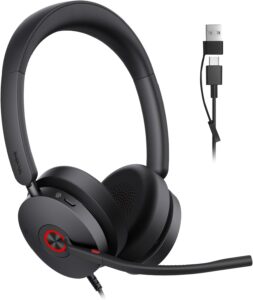
Yealink UH48 ANC Wired USB-C/A Head…
Product description Yealink UH Series Wired Business Headsets Add to Cart Add to Cart Add to…