
How to Improve Focus and Consistency While Gaming
Long gaming sessions can be rewarding, but staying focused and consistent is a skill that separates steady improvement from random highs and lows. This guide gives practical, immediately actionable strategies to sharpen attention, build reliable routines, and make your hardware work for you.
Small setup changes, deliberate practice habits, and the right peripherals reduce friction and mental fatigue. Even one reliable tool—like a steady phone stand for mobile play—can cut interruptions and keep you in the flow longer.
Optimize your gaming space for minimal interruptions
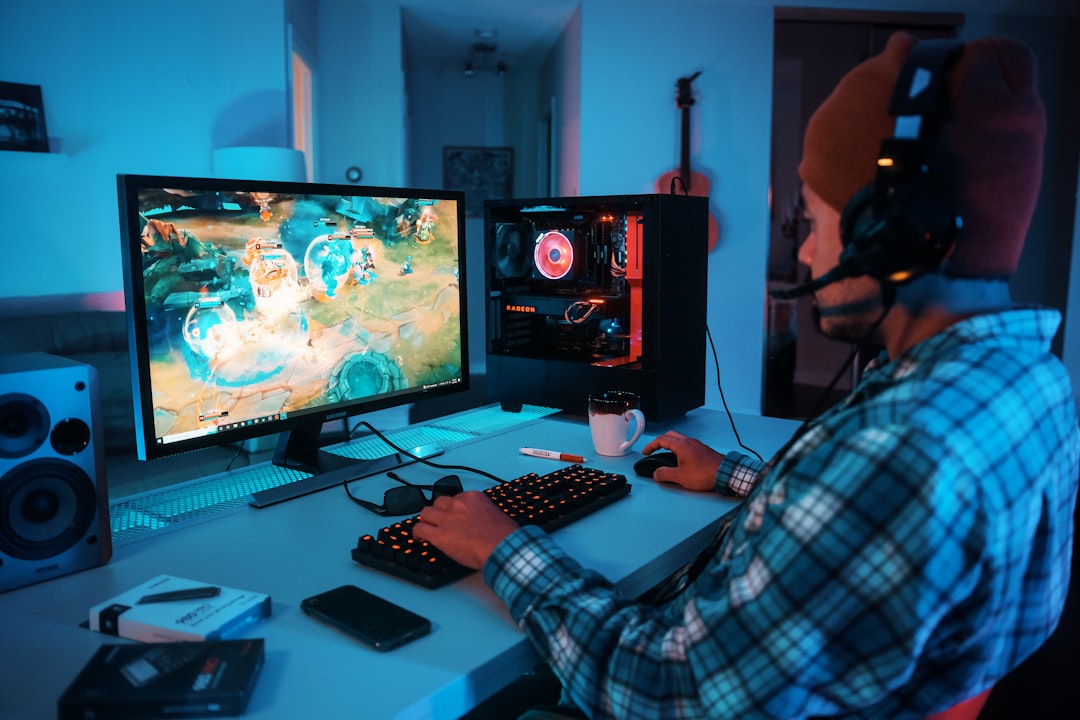
Create a consistent physical environment: clear the desk, control lighting, and position your displays and speakers so you don’t have to twist or strain. A clean, dedicated space signals your brain that it’s time to focus and reduces incidental distractions that break your rhythm.
If you play on PC or console, pick a refresh rate and resolution that match your goals. Lower input lag and smoother motion make focusing easier—consider a high-refresh display designed for competitive play such as a 144Hz gaming monitor if you want better consistency in timing and aim.
Prioritize reliable mobile power and comfort
For mobile gamers, power interruptions are a focus killer. Keep a compact power solution ready so you can finish drills and ranked sessions without scrambling for an outlet. A dedicated power bank for mobile gaming eliminates sudden drops in battery or performance-throttling from low power modes.
Also adjust your grip and seating so you don’t have to shift constantly. Comfort reduces micro-distractions and physical fatigue, allowing you to sustain focus during repeated practice blocks.
Choose controllers and inputs that match your playstyle
Input familiarity is a big factor in consistency. If you play on mobile, use a controller that fits your hand and the game’s control demands—dedicated mobile gaming controllers can offer repeatable inputs and better ergonomics than touch-only controls.
For console players, using the same controller or model reduces variance in feel; for PC players, assigning consistent keybinds and macros stabilizes muscle memory.
Tune peripherals for precision and minimal friction
Small changes in mouse, keyboard, or controller settings compound. Lower mouse sensitivity with larger movements can improve shot consistency; remap keys to comfortable positions and remove unnecessary tools that cause accidental presses. If you use a mouse, consider a reliable, light option to reduce wrist strain and improve aim repeatability—look into lightweight gaming mice for reduced fatigue and smoother tracking.
Software tweaks matter too: disable background apps that inject input lag, lock refresh rates, and test settings in short practice sessions before applying them to competitive play.
Keep controllers and devices charged and ready
Nothing breaks a routine faster than dead batteries. Use a dedicated charging workflow so controllers and mobile peripherals are always match-ready. A controller charging station centralizes devices, shortens downtime between sessions, and prevents last-minute scrambling to find cables.
Establish a habit: charge immediately after play, store controllers on the station, and rotate spare batteries so you always have a ready unit.
Use audio and visual cues to improve attention
Sound and subtle visual feedback help maintain focus. Use headphones or earbuds that isolate game audio and reduce external noise. For mobile players, compact gaming earbuds designed for clarity help you hear crucial in-game cues and stay immersed—consider checking options in the gaming earbuds for mobile category.
On screens, contrast and HUD placement should be consistent so your eyes learn where to look. Turn off intrusive overlays and alerts that aren’t essential to gameplay.
Maintain system performance for predictable gameplay
Lag, stutters, and long load times break concentration and can throw off practice. Keep your system lean: close unnecessary programs, update drivers, and use fast storage to cut load times. Upgrading to a faster SSD reduces map load and asset streaming delays—consider improving responsiveness with quality gaming SSD storage where applicable.
Regular maintenance—disk health checks, thermal cleaning, and periodic driver updates—keeps performance consistent so your mental patterns aren’t interrupted by technical issues.
Build focused practice routines and manage time
Consistency starts with repeatable practice. Use block scheduling: short warm-up, focused drills, review, then matches. Aim for 45–90 minute blocks with clear objectives (example: aim drills for 20 minutes, ability usage practice for 20 minutes, then two ranked games).
Track metrics that matter—accuracy, K/D, or win rate—and review short clips to correct mistakes. Structure reduces aimless play and turns each session into targeted improvement.
Checklist: Quick setup for one focused session
- Charge devices and place controllers on the charging station.
- Set display to target refresh rate and resolution.
- Clear desktop and remove phone distractions; mount on a phone stand if needed.
- Close non-essential apps and enable game mode/performance profile.
- Warm up with a 10–15 minute drill that maps to your session goals.
- Schedule short breaks: 5–10 minutes every hour to reset attention.
Conclusion: One practical takeaway
Focus and consistency are built by removing friction and turning preparation into habit. Pick one setup improvement (like keeping a charger or using a dedicated power bank), commit to a short, repeatable warm-up routine, and measure progress. Small, consistent changes compound faster than occasional intense practice.
FAQ
Q: How long should my practice sessions be for best focus?
A: Aim for 45–90 minutes per focused block with short warm-ups and a clear objective; take 5–10 minute breaks between blocks to prevent cognitive fatigue.
Q: Will better hardware alone improve my consistency?
A: Hardware reduces variability and frustration, but consistency comes from routine and deliberate practice. Combine ergonomic peripherals and stable power with structured drills.
Q: What’s the simplest device upgrade that helps focus?
A: For many players, a stable mount or phone stand or reliable audio solution reduces interruptions and improves immersion immediately.
Q: How do I avoid burnout while trying to improve?
A: Rotate practice focus, schedule rest days, keep sessions goal-oriented, and ensure you have proper sleep and hydration. Short, frequent practice beats long, unfocused grinding.
Q: Should I change my sensitivity or keybinds often?
A: No—frequent changes prevent muscle memory. Make deliberate, well-tested adjustments and stick with them long enough to evaluate their effect.
Q: Any hardware recommendations to start with?
A: Start with essentials that remove friction—consistent input devices, proper charging (a controller charging station), clear audio (gaming earbuds for mobile if on the go), and reliable storage (gaming SSD storage) for faster load times.