
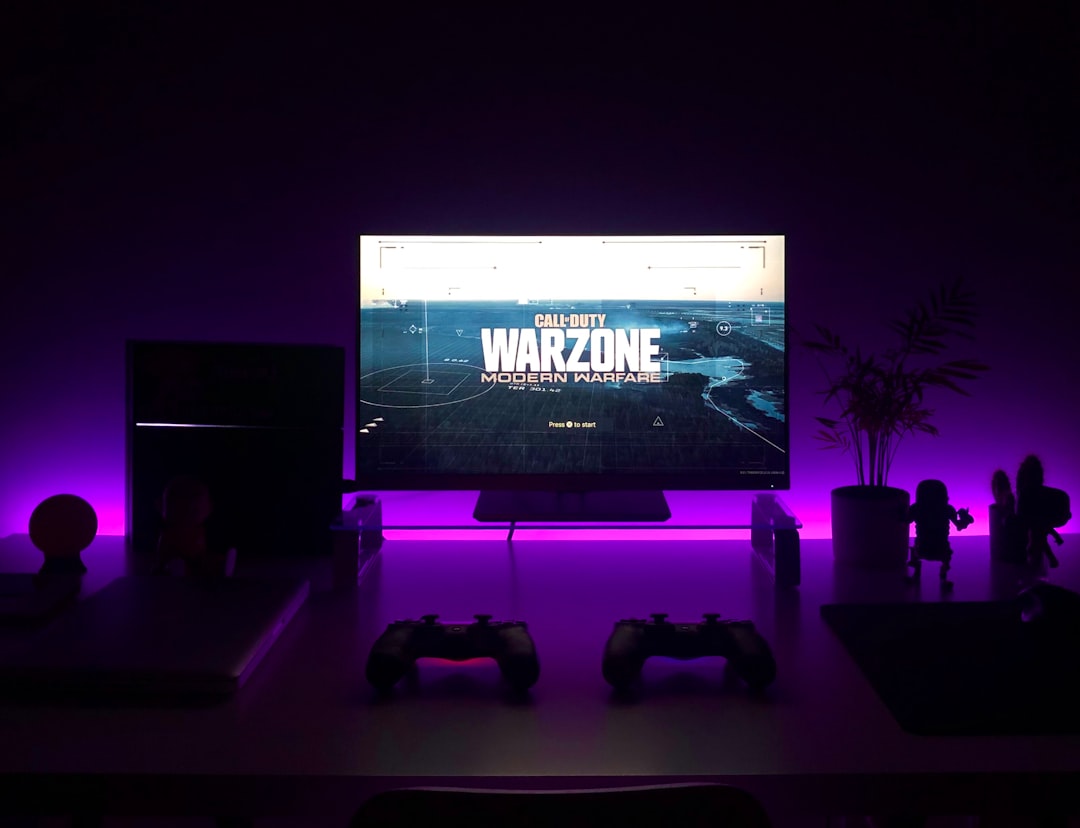
How to Make Your Gaming Setup Look More Professional
Your gaming setup says a lot about how seriously you take your craft. A professional look improves focus, comfort, and the impression you make on viewers or guests. Small, deliberate changes can upgrade aesthetics and function without a total overhaul.
This guide walks through practical steps—desk layout, display choices, clean cable management, thoughtful peripherals, and component decisions—that transform a hobby corner into a purposeful gaming station.
Desk, layout, and first impressions
Start with a clean, purpose-built surface. Choose a desk with depth for a monitor stand and room for peripherals. Position your main display at eye level, centered in front of your chair, and keep frequently used items reachable but not cluttering the work area. For anyone who uses a phone while gaming or streams mobile content, a dedicated Phone Stands For Gaming can keep your device secure and visually tidy on the desk.
Choose the right monitor for a polished look
A well-chosen monitor anchors the entire setup. For a cinematic, immersive aesthetic and a clean multi-window workflow, consider Ultrawide Gaming Monitors. They reduce the need for multiple stands, create a seamless backdrop for streaming overlays, and produce a high-end silhouette when mounted on a single arm.
Make your PC internals match the exterior
If you use a desktop, the case interior should look intentional. Keep cables routed, use matching colors for SATA and power cables, and avoid mismatched fan patterns. Selecting a solid foundation like the right Gaming Motherboards gives you tidy I/O and routing options that simplify cable runs and create a neater backside of the rig.
Upgrade memory to reduce visible clutter and improve performance
Laggy menus, long load times, or stuttering while streaming can make a setup feel amateur. Upgrading to higher quality Gaming RAM not only boosts responsiveness but also reduces the impulse to keep benchmarking or fiddling mid-session—helping the setup look deliberately balanced rather than hacked together.
Fast, organized storage that looks intentional
Storage choices affect both performance and the cleanliness of your build. Opt for compact, high-speed drives so you don’t need bulky external HDDs on the desk. A high-quality Gaming SSD Storage minimizes cable clutter and allows drives to be tucked away in the case or mounted discreetly.
Cooling and airflow: form that follows function
Cooling is functional, but it can also be part of the visual design. Choose fans that match your color scheme and place them in symmetrical, visible positions. Properly routed intake and exhaust reduces dust buildup and keeps the case glass clean. Consider reliable Gaming PC Cooling Fans that run quietly—less noise and cleaner lines translate to a more professional feel.
Power and cable management for a minimalist look
Clean power delivery and tidy cables make a setup look deliberate. Use a modular unit and hide unused cables. Route the main runs along the desk edge or behind a cable tray. Choose a dependable Gaming Power Supplies with modular cabling to cut down on excess wires and keep the space under your desk uncluttered.
Peripherals that match your aesthetic
Peripherals are the most visible part of your setup. Pick a consistent color palette and style—mechanical keys, a clean mouse, and a minimal pad create a cohesive look. An RGB Gaming Keyboards can be tuned to subtle, professional lighting profiles rather than chaotic effects; sync lighting across devices to reinforce a unified visual identity.
Small touches that elevate the overall presentation
Accessories make the difference between tidy and professional. Use a single microphone boom instead of a desktop mic on a stand, keep controller docks in a dedicated spot, and store spare gear in drawer organizers. Matching desk mats, discreet lighting, and a single accent color make the setup feel curated.
Checklist: Quick wins to look professional
- Center and mount your main monitor; use a single-arm if possible.
- Hide cables with a tray and modular power supply.
- Choose one color palette for peripherals and lighting.
- Use high-quality SSDs and tidy internal components to reduce clutter.
- Install quiet, matching cooling fans and keep dust filters clean.
- Use a phone stand or controller dock to reduce desktop clutter.
- Label power strips and keep adapters consolidated off the desk.
FAQ
-
How do I make a small desk look professional?
Prioritize essentials: one monitor, compact keyboard and mouse, vertical storage, and a small stand for secondary devices. Hide cables and keep decor minimal.
-
Which monitor type looks most professional?
An ultrawide or a high-resolution single display mounted cleanly tends to look most intentional and professional compared to multiple mismatched screens.
-
Do RGB lights look unprofessional?
RGB can be professional if used sparingly—choose subtle colors, low brightness, and synchronize effects across devices rather than leaving them blinking independently.
-
How important is cable management?
Very. Visible cables make even high-end setups look unfinished. Invest time in routing, modular power supplies, and a cable tray to maintain a clean silhouette.
-
What’s the easiest hardware upgrade for a cleaner build?
Switch to an SSD for storage, choose a modular power supply, and standardize fan and cable colors. These reduce visible clutter and improve performance.
Conclusion
Creating a professional-looking gaming setup is about intentional choices and consistent execution: pick a focal display, streamline peripherals, manage cables, and use quality internal components. Start with one upgrade—mount your monitor, tidy cables, or swap to an SSD—and build from there. Small, consistent improvements yield a polished result that looks and performs like a pro setup.