How to Protect Your Eyes During Long Gaming Sessions
Long gaming sessions are part of modern play—ranked matches, raids, and marathon single-player runs can easily stretch hours. Protecting your eyes during those sessions isn’t optional: it preserves comfort, reduces fatigue, and helps you perform consistently.
This guide gives clear, practical steps you can apply tonight—device settings, room setup, ergonomic tweaks, and accessories that make a measurable difference.
Why eye protection matters — choose a sharp, clear display
Higher-resolution displays make text and UI elements crisper, reducing the micro-squinting your eyes do to interpret small details. If you’re upgrading a monitor, consider models in the 4K Gaming Monitors category for improved clarity on large screens, especially if you sit close or play strategy and MMO titles with dense HUDs.
Control ambient light and glare
Harsh reflections and bright windows behind a screen cause you to over-adjust pupil size and focus constantly. A curved panel can help by directing reflections away from your eyes and reducing edge glare—consider curved options in the Curved Gaming Monitors lineup if your desk setup receives variable light.
Refresh rate, motion clarity, and eye comfort
Higher refresh rates reduce motion blur and visual stutter, which lowers fatigue during fast-paced play. Competitive players often feel less eye strain on high-refresh displays because the eyes track motion more smoothly. Browse high-refresh options such as 240Hz Gaming Monitors if you want the smoothest motion handling available.
Keep your system smooth — avoid stutter and frame drops
Performance issues like stuttering, micro-freezes, or sudden framerate dips force your eyes to re-focus repeatedly. Thermal throttling and overheating are common causes; ensure your PC cooling is adequate. Upgrading or maintaining components from the Gaming PC Cooling Fans category can stabilize framerates and reduce the visual artifacts that strain your eyes.
Ergonomics: monitor height, distance, and posture
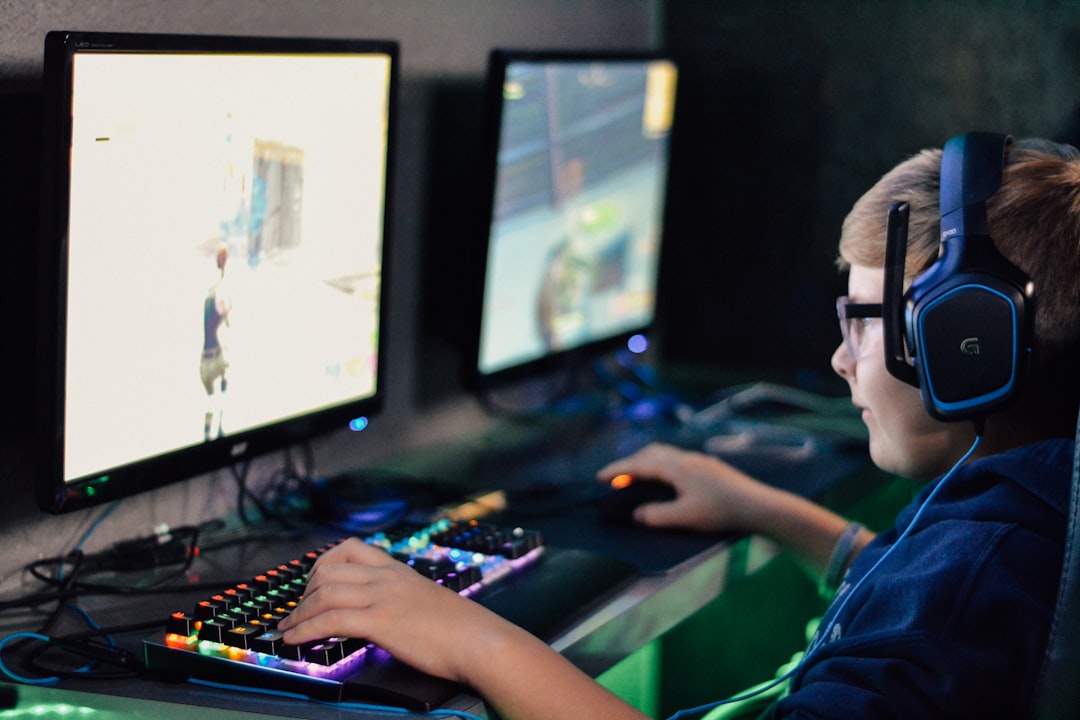
Position your monitor so the top edge sits at or just below eye level and the screen is about an arm’s length (roughly 20–30 inches) away. Tilt slightly back (10–20°) so your eyes glance downward over the middle of the screen. Good posture reduces neck strain and lets you blink naturally—blink rate is a major factor in dryness and irritation.
Mobile and handheld gaming: posture and stands
Playing on a phone or tablet often means bending the neck and raising the device close to the face. Using sturdy supports keeps the screen at eye level and prevents forward head posture. Look at options in the Phone Stands For Gaming collection to keep your mobile setup more ergonomic and comfortable for long sessions.
Battery and accessory planning for longer sessions
When your phone or tablet is draining, you might hold it awkwardly while charging—which increases eye and neck strain. Keep portable power accessible so you can maintain a comfortable position. Reliable options are listed in the Power Banks For Mobile Gaming category, letting you game longer without hunching or clenching your shoulders.
Protect screens and reduce reflections on handhelds
Glare and scratches on handheld screens scatter light and reduce contrast, making your eyes work harder. For Switch and similar devices, tempered glass protectors cut reflections and keep the image clean—see the Orzly Glass Screen Protectors if you play handheld consoles frequently.
Build healthy habits and use accessories to enforce breaks
Regular breaks are the most effective single defense against eye strain. Use accessory cues to help: a charging dock or station makes swapping controllers and taking a scheduled pause easier. Consider a Controller Charging Stations so you can rest during a charge cycle instead of forcing an extra hour of play.
Practical settings to change now
- Set brightness to match room lighting—avoid extreme contrasts.
- Enable night mode/blue-light filter in the evening but keep color accuracy for competitive play when needed.
- Increase in-game HUD and chat font sizes to reduce squinting.
- Lock a timer to enforce the 20-20-20 rule: every 20 minutes, look at something 20 feet away for 20 seconds.
- Use anti-glare protectors or reposition light sources to eliminate reflections.
Quick checklist
- Adjust monitor height so top edge is at or slightly below eye level.
- Set screen distance about an arm’s length away.
- Match display brightness to ambient light; avoid dark rooms with bright screens.
- Use a stand for phones/tablets and a power bank for long mobile sessions.
- Take micro-breaks: blink often, stretch every 30–60 minutes.
- Keep your PC cool and framerate stable to minimize visual artifacts.
FAQ
- Q: How often should I take breaks? A: Follow the 20-20-20 rule and take a longer 5–10 minute break every hour to stand, walk, and rehydrate.
- Q: Do blue-light filters actually help? A: They can reduce perceived glare and nighttime sleep disruption for some people. Use them in the evening; during competitive play, decide based on comfort and performance.
- Q: Is higher refresh rate better for eye comfort? A: Yes—smoother motion reduces tracking strain. If possible, choose higher refresh rates and stable FPS to reduce motion blur.
- Q: What if my eyes feel dry despite breaks? A: Increase blink frequency consciously during play, and consider lubricating drops if dryness persists; consult an eye specialist for persistent symptoms.
- Q: Can hardware accessories help? A: Yes. Stands, screen protectors, cooling fans, power banks, and charging docks remove common barriers to comfort and encourage better habits.
Conclusion
Protecting your eyes is about equipment, environment, and habits. Balance a clear, stable display with proper lighting, ergonomic positioning, and scheduled breaks. Start with one change tonight—adjust your monitor height or set a break timer—and build from there.
Products Featured in This Article
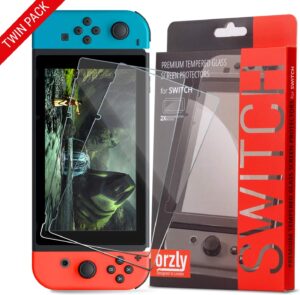
Orzly Glass Screen Protectors Compa…
From the brand About Us Everyone in the Orzly team has a passion for tech, we…