
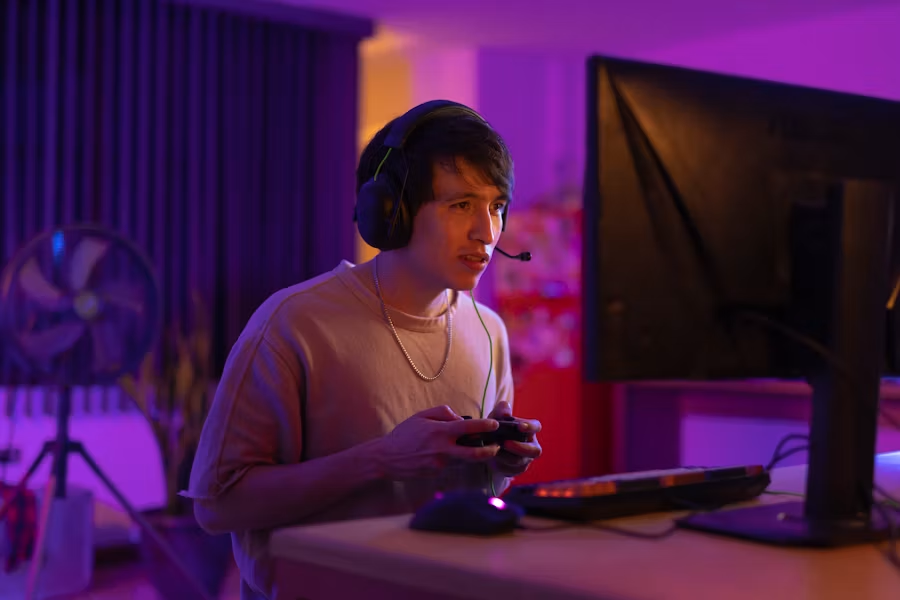
Simple Ways to Make Your Gaming Experience More Immersive
Immersion is what turns a good gaming session into a memorable one. It comes from a combination of visual fidelity, responsive controls, clear audio, comfortable ergonomics, and a stable system. You don’t need a top-of-the-line budget to make meaningful improvements—small, focused changes often deliver the largest return on feeling “inside” the game.
This guide gives practical, actionable tips you can apply today, from hardware swaps to setup habits. Each recommendation is concise and aimed at improving immersion without unnecessary complexity.
Upgrade Your Display: Bigger, Cleaner, Deeper
A sharper, larger, or more color-accurate display immediately pulls you into a game world. For cinematic single-player titles and detailed open worlds, moving to a true high-resolution panel reduces aliasing and improves visual clarity. Look for displays with good HDR handling and wide color coverage so lighting and environments feel closer to reality. Consider browsing 4K Gaming Monitors if your GPU and budget support that jump—image quality alone can raise immersion significantly.
Prioritize Refresh Rate for Responsiveness
If you play fast-paced competitive games, refresh rate and response time matter more than raw resolution. A smoother frame flow reduces perceived input lag and makes aiming, tracking, and movement feel connected. Monitors with very high refresh rates stabilize motion and reduce distractions from tearing or stutter. If you want the smoothest competitive experience, check options among 240Hz Gaming Monitors—they’re specifically tuned for low-latency gameplay.
Improve Input Precision: Mice, Keyboards, and Settings
Controls are the player’s direct link to the game world. A responsive mouse with stable tracking and a comfortable shape reduces micro-corrections and lets you focus on decisions instead of hardware. Equally, calibrating DPI/sensitivity to your playstyle and practicing consistent hand placement pays off. For clean wireless setups and minimal cable drag, consider reliable picks in the wireless category—browse Wireless Gaming Mice for options that blend performance with convenience.
Console & Handheld Controls: Comfort and Feedback
For console and hybrid players, controller feel and ergonomics have big impact. Properly calibrated sticks, responsive triggers, and well-fitting grips help you stay focused on the game instead of managing discomfort. If you play on Nintendo Switch or Switch Lite, a quality controller with good ergonomics and reliable wireless performance can make handheld sessions far more immersive. See available choices for dedicated controllers at Nintendo Switch Controllers.
Set Up Comfort: Mounts, Stands, and Positioning
Immersion drops quickly when you’re adjusting neck strain or propping a phone on a stack of books. Ergonomics and stable mounting keep your posture in check and reduce interruptions. For mobile and handheld streaming or long sessions, a purpose-built stand keeps the screen at a comfortable angle and reduces micro-adjustments. If you game on a phone or tablet frequently, look into sturdy solutions under Phone Stands For Gaming—they’re inexpensive ways to keep sessions comfortable and immersive.
Keep Your System Cool and Stable
Performance dips from thermal throttling break immersion fast. Proper airflow, quality case fans, and periodic cleaning prevent frame drops and maintain consistent visuals and input latency. Whether you’re building or upgrading, ensuring your PC has efficient cooling extends sustained performance during long sessions and intense scenes. For targeted upgrades, explore trusted fans and cooling components in the Gaming PC Cooling Fans category.
Extend Mobile Sessions: Power and Controls on the Move
Mobile gaming sessions are fragile—battery levels and heating are common immersion killers. A compact power bank lets you maintain performance without aggressive battery-saving modes that throttle graphics. For longer co-op or RPG sessions on the go, keep a reliable power source handy. If you want to avoid mid-session shutdowns, consider options in Power Banks For Mobile Gaming to match your device’s power needs.
Lighting, Audio, and Surface: The Little Things That Stack
Ambience—lighting, sound staging, and tactile surfaces—affects immersion subtly but strongly. Soft, controlled room lighting prevents eye strain and makes on-screen lighting pop. Good audio positioning using headphones or speakers gives spatial cues that pull you into the scene. Additionally, a consistent mouse surface improves tracking predictability, which keeps you focused on gameplay rather than correcting small inaccuracies. If you want to upgrade the feel under your mouse, check options like RGB Gaming Mouse Pads that offer a steady glide and ambient lighting to match your setup.
- Use the right display for your game type: higher resolution for single-player, higher refresh rate for competitive.
- Tune input settings (DPI, dead zones, sensitivity) and practice consistency.
- Ensure stable cooling and power to avoid performance drops mid-session.
- Invest in ergonomic supports: stands, cushions, and proper chair height.
- Improve audio and lighting to match in-game tone without causing eye fatigue.
Checklist: Quick Wins You Can Do Today
- Update GPU drivers and set game-specific graphics profiles.
- Calibrate monitor color and brightness; turn on game mode if available.
- Adjust mouse DPI to a lower, controllable range and align in-game sensitivity.
- Clear dust from intake/exhaust fans and confirm fans spin freely.
- Place a phone stand or mount to eliminate awkward holding during mobile play.
- Keep a charged power bank nearby for long mobile gaming sessions.
FAQ
-
Q: Will a 4K monitor make every game more immersive?
A: Higher resolution enhances detail and can increase immersion, especially in narrative and open-world titles, but it requires enough GPU power to maintain smooth frame rates. -
Q: Is a 240Hz monitor worth it for casual players?
A: If you mainly play competitive fast-paced titles, a 240Hz monitor improves responsiveness. For casual single-player experiences, higher resolution or color accuracy may be a better tradeoff. -
Q: How often should I clean my PC cooling fans?
A: Inspect every 2–3 months and clean as needed; heavy dust buildup can appear within a few months depending on environment. -
Q: Does an RGB mouse pad actually improve immersion?
A: The pad itself improves tracking consistency; integrated RGB can add subtle room lighting that complements game visuals and increases atmosphere. -
Q: What’s the fastest way to reduce input lag on PC?
A: Use a direct wired connection for controllers/mice when possible, enable low-latency modes on your GPU/monitor, and reduce background CPU/GPU load.
Practical takeaway: pick one visual upgrade, one input upgrade, and one comfort or power improvement—implementing these three focused changes will noticeably raise immersion without a complete overhaul. Small, consistent upgrades compound into a much richer, more reliable gaming experience.