
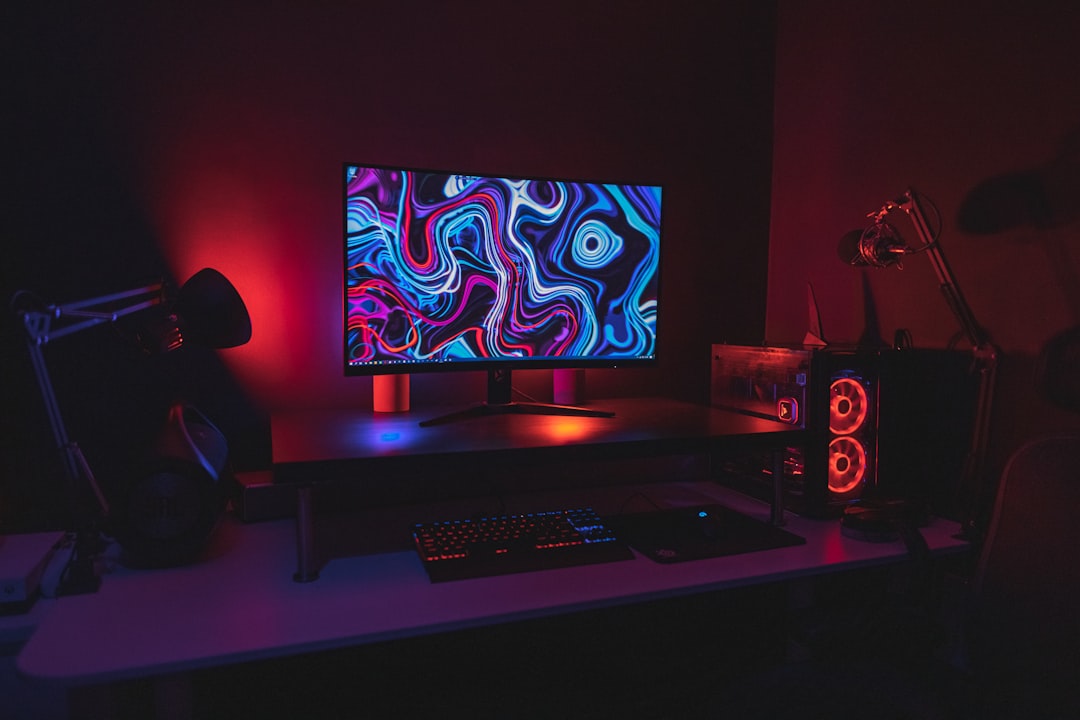
Tips for Building a Gaming Setup in a Small Space
Creating a great gaming setup in a small room or apartment requires planning, restraint, and smart product choices. With limited square footage, every inch matters — from the desk you choose to how you route power and airflow.
This guide walks through practical, reliable strategies to maximize performance and comfort without expanding your footprint. Each section focuses on concrete decisions you can make today to get a compact, clean, and responsive setup.
Plan Your Footprint First
Start by measuring the area you have available and sketching a simple layout for desk, chair, and storage. Decide whether you need space for consoles, a PC, or mobile gaming — each has different requirements. If you want a single display that replaces multi-monitor setups and saves desk width, consider an ultrawide gaming monitor to gain horizontal workspace without extra stands or bezels.
Choose Compact Hardware
When building a PC for a small space, prioritize compact components: SFX or small ATX cases, low-profile coolers, and boards that fit your form factor. A solid foundation is a modern, compatible gaming motherboard that supports fast storage and efficient power distribution while allowing for smaller chassis options.
Prioritize Cooling and Power
Tiny cases can trap heat quickly, so balance component power with reliable cooling. Choose efficient PSUs and consider quieter, high-efficiency units that free up ventilation. Picking the right gaming power supplies ensures stable output and reduces thermal stress in cramped builds.
Opt for Fast, Compact Storage
Space is often sacrificed for large HDD arrays; instead use high-capacity NVMe or compact external SSDs to keep the build small and responsive. Fast drives reduce load times and allow you to skip larger bulk storage devices — a dedicated gaming SSD storage option is ideal for a compact rig.
Make Smart Monitor Choices
In small setups the monitor is one of the biggest space consumers. A smaller high-refresh monitor offers smoother gameplay without taking over your desk. If you need competitive responsiveness in a tight footprint, consider a 24–25″ high-refresh display such as the 24.5″ 240Hz gaming monitor — compact, low-profile, and designed for small desks.
Use Vertical and Multi-Use Furniture
Take advantage of vertical space with wall shelves, monitor arms, and under-desk mounts. For handheld or mobile play, a stable stand makes a big difference: compact setups benefit from dedicated phone stands for gaming that hold devices securely and free desk space for controllers or keyboards.
Keep Cables and Power Organized
Cluttered cables eat both visual and physical space. Use short, labeled cables, under-desk trays, and a single hub for charging controllers and phones to reduce power clutter. A controller charging station is a compact way to centralize console peripherals and eliminate stray charging cables on your desk.
Pick Accessories that Fit the Space
Accessories should enhance comfort without enlarging your footprint. Low-profile keyboards, compact mice, and in-ear audio are better choices than full towers and oversized speakers in small rooms. If you play on mobile or tablet, add active cooling to maintain performance with a phone cooling fan for gaming, which keeps temperatures down without requiring extra desk fans.
Checklist: Quick Setup Actions
- Measure desk and wall space; sketch a layout.
- Choose a compact motherboard and case for a small PC build.
- Pick a single high-refresh monitor sized to your desk (24–27″).
- Replace HDDs with NVMe or compact SSDs for space and speed.
- Use a monitor arm and wall shelving to free desk surface.
- Centralize peripheral charging with a single station.
- Manage cables with trays, ties, and short, labeled cords.
- Consider mobile stands and cooling for handheld gaming.
FAQ
Q: Can I build a high-performance PC in a mini case?
A: Yes. Choose a compatible small motherboard, efficient power supply, and low-profile cooling. Plan component heights and clearance before buying.
Q: Is one ultrawide monitor better than dual monitors in a small room?
A: Often yes — an ultrawide eliminates an extra stand and bezel gap while giving wide workspace. For tight desks, a single ultrawide or a well-sized 24–27″ monitor is more space-efficient.
Q: How do I keep noise low in a compact setup?
A: Use larger, slower-spinning fans (where possible), efficient PSUs, and case insulation. Prioritize components with good noise ratings and consider fan curves controlled via motherboard software.
Q: What’s the best way to charge multiple controllers and devices without clutter?
A: Use a multi-device charging station placed under or beside the desk to centralize cables. It reduces desktop clutter and creates a consistent charging routine.
Q: Do I need special storage for gaming laptops or phones in small spaces?
A: For mobile gaming, use a sturdy phone/tablet stand and consider external SSDs for quick backups. Active phone cooling helps sustain performance without large fans.
Conclusion
Small-space gaming is about intentional choices: compact components, smart monitor selection, centralized power, and tidy cable routines. Start with measurements, prioritize components that save space without compromising performance, and add modular accessories that keep the desk clear. With a few deliberate changes, you can build a powerful, comfortable gaming setup that fits — and looks — great in any small room.
Products Featured in This Article
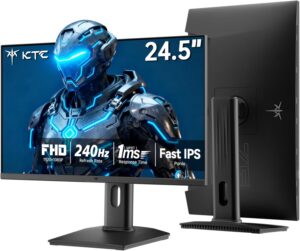
KTC 24.5 Inch 240Hz Gaming Monitor,…
From the brand Portable Monitor TV Falcony Gaming Monitor Curved Gaming Monitor Mini-LED Gaming Monitor OLED…